
















Weston College has a wide range of courses to suit all learning styles
Weston College is an award-winning college of further and higher education in Weston-super-Mare. It provides education and vocational training to nearly 30,000 learners across the country.
We put the learner first and are entrepreneurial in our approach and innovative in our thinking. As a college, we are ambitious and aspirational and are responsive to the needs of students, staff, businesses, and the community.
Latest News
There is always so much going on across our various campuses and courses. Stay up to date on our latest news.
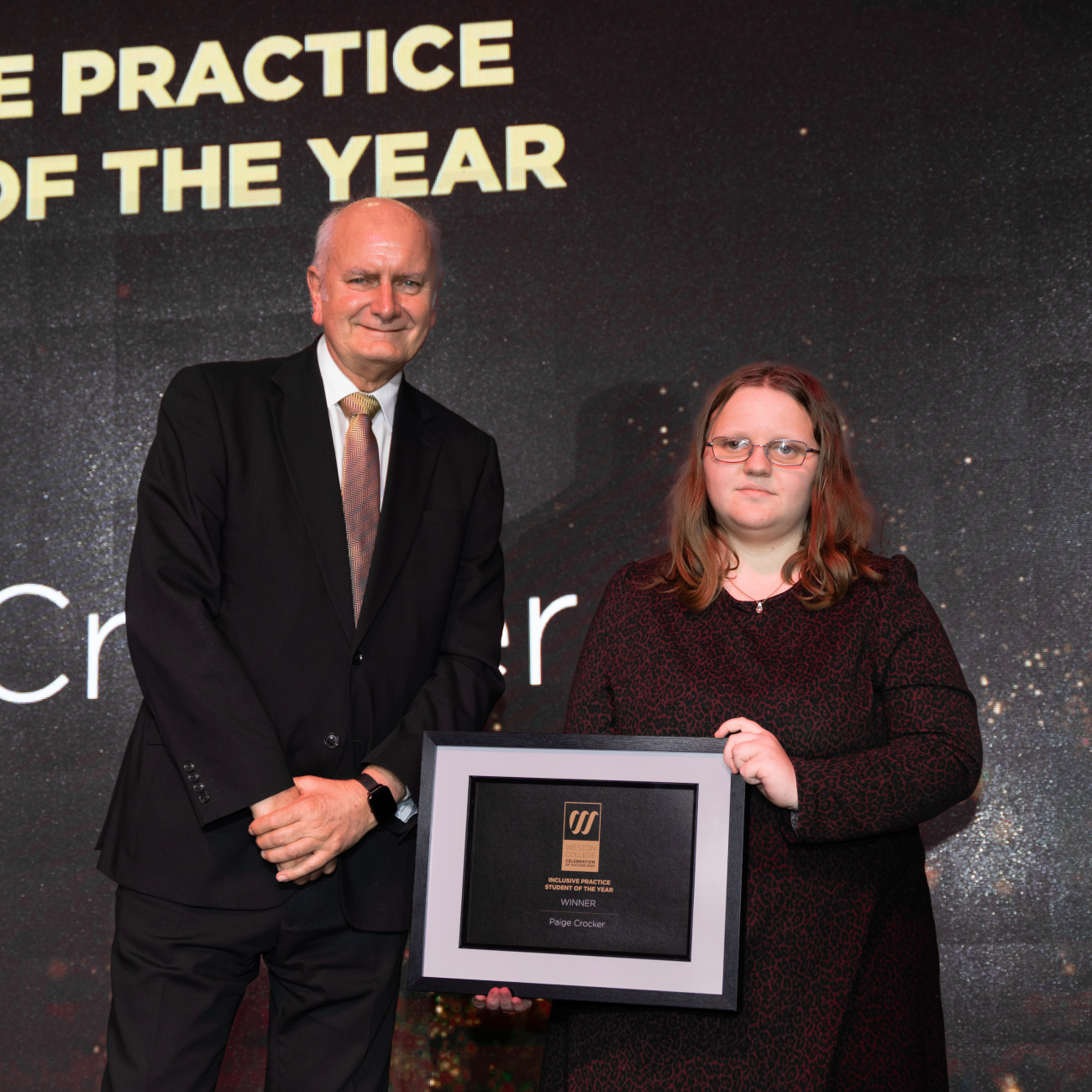
Weston College proudly announces the nomination of Paige Crocker, a trailblazing student, for the prestigious AoC Student Awards in the category of Student Green Commitment. Paige's exceptional journey, dedication to sustainability, and invaluable contribution to the community have earned her this well-deserved recognition.
Paige, enrolled in the SEND Foundation Learning - Extension Studies, has demonstrated unparalleled determination, becoming a beacon of inspiration in environmental advocacy. Overcoming significant learning barriers, Paige emerged as an ambassador for sustainability, challenging stereotypes as she championed neurodiversity. Her passion for environmental causes has inspired others, proving that the pursuit of sustainability is a universal concern accessible to all.
Commencing her journey at Weston College in 2019, Paige underwent a transformative process, blossoming from a vulnerable individual into a confident advocate for positive change. She embarked on community action projects, participating in local council 'litter picks,' which sparked her deep-rooted commitment to sustainability.
Paige's pivotal role in the college's 'Green Space' sustainable shop underscores her dedication. Not only does she help in a customer-facing capacity, but she also actively creates products, showcasing an unwavering commitment that extends beyond duty. Her leadership skills within the shop and mentoring of peers facing similar challenges highlight her character and unwavering determination.
Her impact extends far beyond the college walls. Paige has represented the institution at various events, including the Sustainable Business Breakfast and local festivals, spreading awareness about sustainability and inspiring the wider community.

Wellbeing Week is taking place from the 10-14th October. As part of this week, and giving voice to mental health, on the 12th, we will be welcoming Hope Virgo. Hope is a mental health campaigner, speaker and author, and she will be discussing the impact and severity of both mental health issues, and eating disorders, with the learners at Weston College.
In 2016, Hope realised the stigma faced by those affected is huge, and she wanted to do more to help. Through the sharing of her own story, as well as trying to showcase to society that eating disorders can be present in all body types, she began writing and speaking in schools. Hope has been doing this for around 5 years now!
Hope’s aim for the talk with the learners is to raise awareness for those who are struggling, and to educate everyone. Furthermore, she hopes to teach the learners how to hold a conversation on the topic of mental health, and come to the understanding that people are able to make a full recovery.
Hope’s advice for a student who is struggling is to seek support, surround yourself with the right people, speak up, and have confidence that things can change! As for the whole college, Hope reminds us to continue talking about eating disorders, and to make the college a safe place for anyone struggling.
On October 17th, Hope is launching an eating disorder manifesto and a school nurse toolkit to assist in empowering people to have the tricky conversations and to push for commitment from the government to further tackle the issue at hand.
Hope tells the college: “For too long people have been left suffering in silence and people have spent too long shying away from conversations around eating disorders as they are afraid of triggering people and causing upset. I want to help empower students to speak up and to offer support to each other.”
We look forward to hearing her talk and empower our learners!
If you want to get involved with, and support this initiative, you can:
- Sign the #DumpTheScales petition.
- Take a photo and use the #ChangeTheStory hashtag when sharing.
- Avoid diet chat as it could be triggering for others.
- Check in with each other.
Follow Hope Virgo here:
- Instagram: @hopevirgo_
- Twitter: @hopevirgo
Keep an eye on our social media platforms to see what else we will be doing for Wellbeing Week!

Jack, a former sports student at Weston College, has recently made his debut in this year’s Royal London Cup at the Oval. At just 18 years old, Jack impressed in the match against Surrey, claiming two for 33.
There was a great crowd out to support Jack, and despite the downpour, Jack was still able to enjoy himself, claiming this as the “high point of his career so far, hopefully with more to come.”
Starting his Cricket career at Congresbury Cricket Club at just 6 or 7 years old, he moved to Clevedon Cricket Club at the age of 13 where he has played ever since.
Jack told the Somerset County Cricket Club about how he felt when he was told he was in the squad for this year’s Royal London Cup: “I’ve played a lot of Second XI cricket for Somerset, so when I was told that I was in the squad for the Royal London Cup I was overjoyed. I really couldn’t explain it to be honest. It was amazing and to get my chance was even better.
“The Pathway at Somerset has helped me massively. I have been involved since a young age and all of the coaches have helped me along my way and given me different ideas to help me to get to where I am now.”
Jack was a sports student at Weston College, completing his course last year, and now on a gap year to figure out what his next steps are for his future. His aim, however, is to have a Somerset contract, commenting: “Somerset Cricket is in my heart, and I wouldn’t want to play anywhere else.”
Huge congratulations to Jack, we can’t wait to see what you achieve in the future!
CAREERS NOT COURSES
We know it’s not about the course you take, but the career you’ll start your journey towards. Your study programme is built from the ground up with your future in mind, focussing on employability and developing the skills you need to have a successful career within your chosen industry, making connections and gaining experiences through local and national employers we work with:















As a Weston College student, you will become part of one of our exciting new Career Excellence Hubs.
This means our courses aren't just courses... your study programme is built from the ground up with your future in mind, focussing on employability and developing the skills you need to have a successful career within your chosen industry...
LECTURERS WITH REAL INDUSTRY EXPERIENCES
COURSES ENDORSED BY EMPLOYERS
INDUSTRY STANDARD FACILITIES
INCREDIBLE WORK-BASED OPPORTUNITIES
AMAZING GUEST LECTURES
COURSES ENDORSED BY EMPLOYERS

VIEW OUR PROSPECTUS
"The college organised lots of amazing experiences for us with specialist guest lectures on sepsis, home care, nutrition and bee therapy"
Chloe
Health and Social Care, Level 2 & 3
