




COURSES FOR SCHOOL LEAVERS
Your Future Starts Here
With hundreds of exciting courses, this is where your journey begins. From day one, you'll be supported, inspired, and on track to a rewarding career.
See SubjectsJoin a Career Excellence Hub and gain real-world skills, experience, and confidence to reach your goals.
Whether you're finishing school, changing direction, or learning English with our ESOL courses – we’ve got you covered.
Get started today – pick a subject and apply online in just 5 minutes!

Find Your Future Path








QUALIFICATIONS EXPLAINED
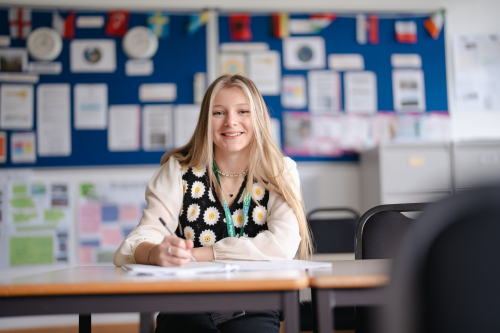
A Levels develop the knowledge, skills and study habits to excel at university, as well as the attributes recognised by employers.
Your academic studies will be complemented with enrichment opportunities such as trips, mentoring and work experience, providing the perfect springboard for your future career.
A Levels are assessed through exams at the end of two years of study. Most learners study three subjects - some choose four.
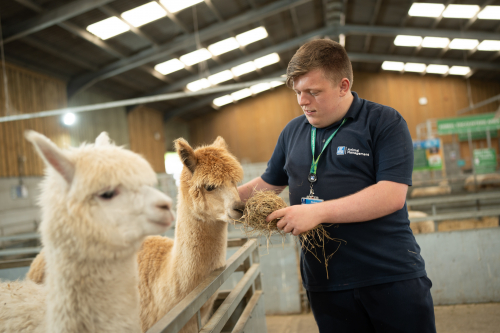
With an apprenticeship you’ll go straight into the workplace and be shown clear routes to progress straight into employment within a specific occupation. You can achieve nationally recognised qualifications, earn a wage, and gain skills that will see you get ahead. On average you will spend 20% of your learning time in the college and 80% within the workplace
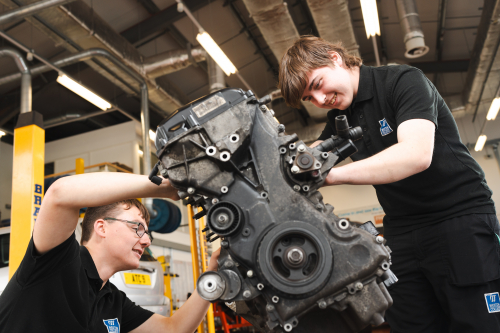
Professional and technical qualifications are designed to provide you with the knowledge, skills and behaviours needed to gain employment within specific industries or occupations. They provide a balance between theory and practical skills development. They are suited to those who want to get hands-on experience within a particular vocational area. These programmes include work placements. Assessment is more varied and will include exams, coursework and practical work.
T Levels give you the chance to learn what a real career is like while you continue your studies. T Levels have been designed with leading businesses and employers to give you the knowledge and skills you need, including a minimum of 45 days on an industry placement – this means you will spend 80% of your learning time in College and 20% within the workplace.
LATEST NEWS
More than 500 University Centre Weston (UCW) students celebrated achieving their degrees at three graduation ceremonies held in the town on Saturday (24th September).
Students in their mortarboards and gowns walked in processions to St John the Baptist Church for the ceremonies, where they enjoyed an inspiring speech from former triathlon world champion Chrissie Wellington and received scrolls to signify their academic achievements.
As well as being the largest ever group to graduate from UCW, the graduates of 2016 are also among the most successful, with close to a quarter of Honours students achieving First Class degrees – above the national average of 19%.
Staff from Bath Spa University and the University of the West of England, Bristol – UCW’s partner universities – were also in attendance to share the special day with the graduates.
Anthony Murray, UCW’s Vice Principal Higher Education, said: “It is always wonderful to celebrate the many successes of our students, and graduation at UCW keeps getting bigger and better.
“We are especially proud of our students in a year where UCW has achieved a fantastic outcome in the Higher Education Review, which saw independent assessors endorse our academic standards and praise how we teach and support our students.
“Almost all of the students who graduated last year are now either working or in further studies, and I’m sure that this year’s graduates also have bright futures ahead of them.”
Among the many UCW success stories this year are the 47% of graduates on the Bachelor’s degree in Applied Computing being awarded First Class Honours.
Course Coordinator Joe Abdulgani said: “These brilliant results reflect their talent and dedication and I’m really pleased everyone had such a memorable and enjoyable day.”
Every piece of coursework submitted and every exam taken by Rimante Zagreckaite, aged 21, on her Bachelor’s degree in Business Management with Sustainability was marked as a First, and she was surprised on Saturday by her father and brother flying in especially from Lithuania to see her graduate.
India Lawton, aged 21, who won the prestigious BDC New Designer of the Year Award at the New Designers Exhibition in London in July, graduated with a First after completing a Bachelor’s degree in Graphic Design.
India is moving to London this week having secured a graphic design role with Amazon.
She said: “After winning the award earlier in the summer and then finding out about the First and getting my job, this has been a great way to celebrate and say goodbye to UCW.”
The processions were fronted by a samba band and singer Marvin Muoneke.
The 20-year-old, who impressed judges on The Voice last year and has toured Britain with a musical over the summer, has progressed from UCW’s Foundation degree in Popular Music on to its new Bachelor’s degree in Professional Music Performance and Production.
John Byrne, aged 51, achieved a Bachelor’s degree in Counselling despite having suffered from throat cancer during the academic year.
Thankfully now in remission, John’s lecturers supported him while he was in hospital and he was able to keep up with his studies while receiving treatment.
He said: “I couldn’t have made a better decision than enrolling with UCW, and I think I speak for every graduate in saying a big thank you to our families and friends for supporting us and sharing this special day with us.”
The way GCSEs are graded is changing. The alphabetised G to A* system is being phased out and replaced with a numerical grade that ranges from one to nine, with nine being higher than an A*.
This system means that there is greater differentiation between the highest achieving students. You can find the full table below…
| New number grading system | Old alphabetised grading structure |
|---|---|
| 9 | |
| A* | |
| 8 | |
| 7 | A |
| 6 | |
| B | |
| 5 | |
| C | |
| 4 | |
| D | |
| 3 | |
| E | |
| 2 | |
| F | |
| 1 | |
| G | |
| U | U |
If you're looking to get a job, a CV is one of the most important and useful tools you can use. CVs are an overview of your work and study history that introduces you to the potential employer, giving them an overview of your abilities that will hopefully lead them to inviting you in for an interview or offering you a job.
Many employers nowadays use online application forms, but a CV is still useful as you can collect all of the relevant information in one place - which will help you memorise your key qualifications, skills and experience when it comes to an interview.
If you want to find out how to write the perfect CV, read on...
Things to include
First of all, think about the information you'll need to include. These should be the key things that make you the right person for the job. Many people have a 'standard' CV that they adapt depending on the role they are applying for, but every CV should include:
- Your details. This includes your name, address, email and telephone number. You don't have to include personal information such as your date of birth, gender, etc.
- Your background and key skills. Most CVs start with an introductory paragraph which tells employers who you are, what you're applying for and a bit about why you're applying for the role.
- Your work experience. Start with your most recent job and work backwards, including: the name of the employer, the dates you worked for them, the job title, and a list of your main duties. Focus on the relevant experience and list any voluntary work you've done. If the job you're applying for is your first job, think about work experience you took part in in year 10 or things you've done as part of your course that are relevant to the role.
- Your qualifications. Again, list the most recent qualifications first and work backwards, listing the qualification name, where you studied and the year you got the qualification. Bear in mind that employers might ask for copies of the certificates!
- Other information. List anything else that might be of interest to an employer, for example: computer literacy, languages you speak, achievements such as the Duke of Edinburgh award, driving licence, anything else that makes you the ideal candidate for the role.
- Your interests. Employers tend to employ people who they think will fit in with their business. Try to include interests that make you sound like a team player, and highlight interests that are relevant to the position you're applying for (for example, if you're applying for a job in catering, include that you're interested in food, cooking at home, etc.).
- References. Employers might want to contact a former employee or lecturer to ask whether they'd recommend you - particularly if this is your first job. If you don't want the employer contacting the references until you are offered the job or an interview, write: "References available on request."
Useful tips
Things you should do:
- Be clear, use headings, paragraphs and bullet points. This makes your CV easy to read. You can use a résumé template on Microsoft Word to help you with the layout.
- Choose a professional font, and try not to make the font too big or too small. Size 11 or 12 is perfect.
- Check the spelling and grammar.
- Keep it short. Employers have to read hundreds of CVs so you should aim for a maximum of two sides of A4.
- Adapt the CV to the job you're applying for.
Things you should avoid:
- Lying or exaggerating too much! The employer will find out if you don't have the skills or qualifications when your aren't able to perform the job as well as you made out. Similarly, being too modest is also a bad thing!
- Embarrassing email addresses. Before you start on your job search, you should set up a 'professional' email - it'll give the employer a better impression than the email you set up when you were younger!
- Don't over-design it. The best CVs are easy to read and follow a consistent format (that means no images, coloured text, borders, etc.).
Want some help?
If you're putting together your CV but are feeling stuck, our expert progression team is on hand to help you out. The team is based primarily at the Knightstone Campus, but drop-in sessions are held weekly at Loxton and South West Skills, and they are always contactable by email or over the phone.
Click here to find out more!
WHICH LEVEL IS RIGHT FOR ME?